 By collaboratewithlinkward@gmail.com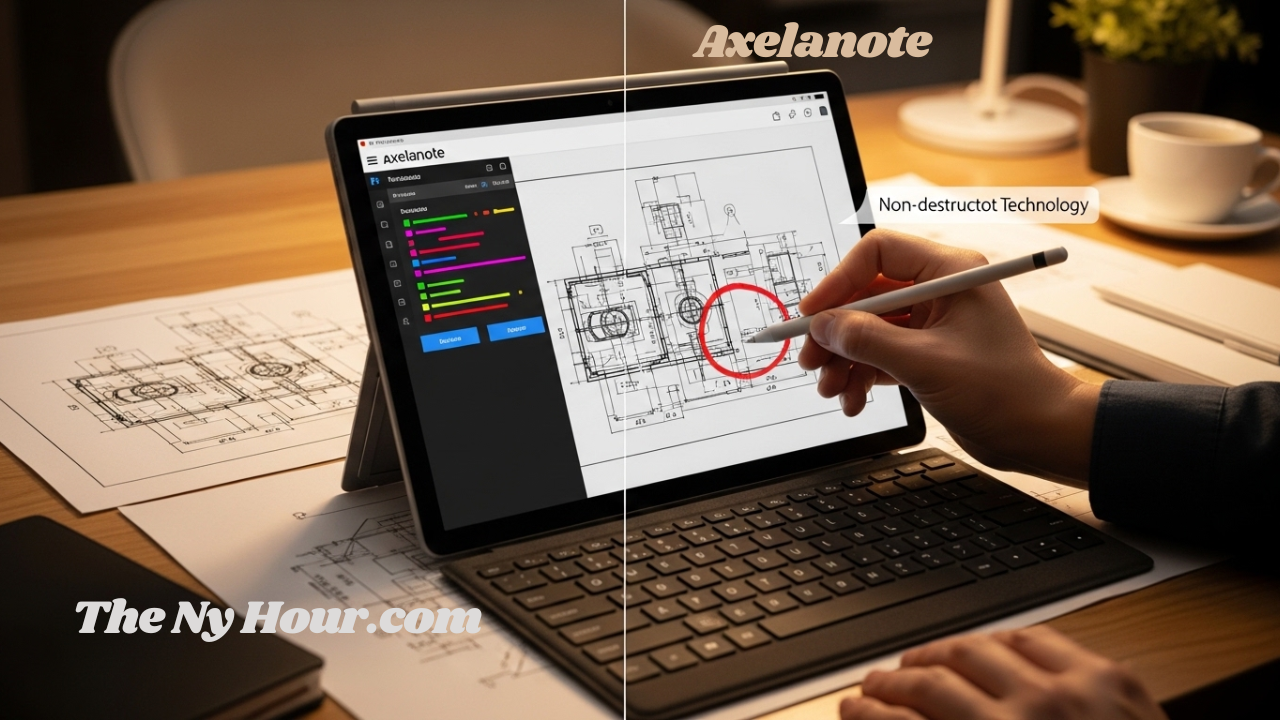
In today’s fast-paced digital landscape, professionals across industries face a common frustration: how to interact with documents without altering their original content. Whether you’re an engineer marking up blueprints, a legal professional reviewing sensitive contracts, or a researcher annotating academic papers, the limitations of traditional PDF editors have long been a productivity bottleneck. Enter axelanote—a revolutionary approach to digital annotation that’s transforming how we interact with documents.
This comprehensive guide explores everything you need to know about axelanote, from its innovative technology to practical applications across industries. By the end, you’ll understand why this tool has become essential for professionals seeking to maintain document integrity while maximizing productivity.
What Is Axelanote? Understanding the Innovation
At its core, axelanote is a specialized Windows-based annotation software developed by TransRecog, a Tokyo-based university venture company founded in 2017 . Unlike conventional PDF editors that modify the underlying code of a document, axelanote operates on a patented “overlay” principle .
Imagine placing a clear acetate film over a printed page and writing on it with a marker—that’s essentially what axelanote does for your digital files. This innovative approach ensures that the integrity of the original document remains 100% intact. Whether you’re dealing with a read-only research paper or a high-security engineering blueprint, axelanote grants you the freedom to comment, draw, and organize your thoughts without ever “touching” the base file .
The software creates an independent annotation layer that can be saved, shared, or hidden at any time. This means that a single PDF can have multiple axelanote “sheets” attached to it—one for personal notes, one for internal team feedback, and one for client-facing comments—all without creating multiple versions of the base file .
The Evolution of Axelanote: From Concept to Essential Tool
The journey of axelanote began with a simple observation: people miss the tactile ease of writing on paper. While tablets and styluses have bridged the hardware gap, the software side often remains clunky. The developers of axelanote sought to create a solution that combined the permanence of a digital record with the flexibility of a physical notebook .
Over the years, axelanote has evolved from a simple sketching tool into a robust professional suite. By 2026, the software has integrated advanced features such as CSV data extraction, multi-layer management, and seamless integration with Acrobat Reader . This evolution reflects a growing global demand for “smart” paperless solutions that prioritize user intent over software limitations.
The company behind axelanote, TransRecog, operates with a compelling vision: “to help people overcome the limits of human cognitive abilities” . This philosophy drives continuous innovation in how professionals interact with digital documents.
Key Features That Define the Axelanote Experience
To understand why axelanote is gaining traction in productivity circles, we must examine the specific functionalities that make it indispensable.
1. Non-Destructive Overlay System
The signature feature of axelanote is its non-destructive nature. When you use axelanote, you create an independent annotation layer that exists separately from the original document. This layer can be saved, shared, or hidden at any time . This separation of “data” and “discussion” is revolutionary for collaborative workflows where document integrity is paramount.
2. Compatibility with Restricted Documents
Standard software often blocks users from adding notes to secured documents. Axelanote shatters this barrier. Since axelanote does not attempt to “unlock” or “crack” the PDF, it respects the file’s security while still allowing the user to be productive . This makes axelanote a favorite for researchers and students who work with encrypted academic journals or proprietary corporate reports.
The software works with editing-prohibited and printing-prohibited PDF files, allowing users to freely edit and print by writing on a “transparent sheet” overlay .
3. Precision Handwriting and Stylus Support
For users of Surface Pro, Wacom, or other pen-enabled devices, axelanote offers an unparalleled writing experience. The pressure sensitivity and palm rejection in axelanote are fine-tuned to mimic the feel of a real pen on paper . The software fully supports pen and touch input, making it exceptionally compatible with tablet PCs like the Surface series .
Whether you’re circling a structural flaw in an engineering blueprint or grading a student’s essay, axelanote provides the precision needed for professional-grade work.
4. Automatic Numbering and Classification
One of the most praised features within the axelanote interface is the automatic numbering tool. For professionals reviewing long lists of items or identifying multiple issues on a single page, axelanote can automatically generate sequential labels, preventing the manual error of skipping numbers and making the review process significantly faster .
Technical Specifications and Requirements
Before integrating axelanote into your workflow, it’s important to ensure your hardware meets the necessary standards for optimal performance.
System Requirements for Axelanote
| Feature | Minimum Requirement | Recommended |
|---|---|---|
| Operating System | Windows 10 (32/64-bit) | Windows 11 |
| Processor | Intel Atom® x7-Z8700 | Intel® Core™ i5 or higher |
| Memory (RAM) | 4GB | 8GB or more |
| Display | 1280 x 1024 Resolution | Per-Monitor Multi-DPI Support |
| Prerequisite | Acrobat Reader DC | Acrobat Reader DC / 2017 |
| Input Devices | Mouse/Keyboard | Stylus / Touchscreen Tablet |
As shown in the table, axelanote is designed to be lightweight yet capable of handling complex tasks. Its reliance on Acrobat Reader as a base ensures that the rendering of the PDF itself is always accurate, while axelanote handles the creative overlay . The software is available for an annual license fee of 4,290 yen (tax included) .
The Professional Impact of Axelanote Across Industries
The adoption of axelanote spans various high-stakes industries where document accuracy is non-negotiable.
1. Engineering and Construction
In construction, blueprints are sacred. Any unauthorized change to a digital drawing can lead to catastrophic errors. Engineers use axelanote to “mark up” site plans. Because the axelanote layer is separate, the original engineering data remains untouched, while the field notes are clearly visible . This separation is why axelanote has become a staple in modern BIM (Building Information Modeling) workflows .
The software is commonly used for commenting on drawings and documents, making it invaluable for construction and engineering professionals who need to provide feedback without altering source files .
2. Legal and Compliance
Legal professionals deal with thousands of pages of discovery and evidence. Using axelanote, lawyers can annotate documents with their strategy and case notes without ever worrying about those notes being visible to the other side if the original PDF is shared. The “private layer” capability of axelanote is a critical security feature for sensitive litigation .
3. Education and Academic Research
For students and professors, the ability to engage with textbooks and research papers is invaluable. Axelanote allows for the categorization of notes—for example, using one color for definitions and another for potential exam questions. The CSV export feature also allows researchers to compile their findings into a structured database easily .
The software is widely used by university students who deal with extensive paperwork for thesis creation and job hunting activities .
4. Corporate Training and Workshops
During large-scale corporate training, providing digital handouts that employees can interact with is key to engagement. By using axelanote, attendees can take notes directly on the presentation slides. After the session, they can save their personalized axelanote file, creating a custom resource for future reference .
The software has been adopted by publicly traded companies promoting environmental initiatives and telework, demonstrating its enterprise credibility .
5. Real Estate and Urban Planning
TransRecog serves sectors that require document digitization and management, including real estate and urban planning . Professionals in these fields use axelanote to annotate property documents, zoning maps, and development plans without compromising the original records.
Axelanote vs. Traditional PDF Editors
To understand the true value of axelanote, we must compare it to the standard tools most people use today.
Comparison Table: Why Choose Axelanote?
| Feature | Standard PDF Editor | Axelanote Overlay |
|---|---|---|
| File Modification | Changes the original file | Original file remains untouched |
| Security Bypassing | Often blocked by permissions | Works on top of any document |
| Handwriting Feel | Can be laggy/unnatural | Optimized for stylus precision |
| Layering | Single layer or limited | Unlimited independent layers |
| File Size | Increases with each edit | Extremely small metadata files |
| Workflow | Destructive/Permanent | Non-destructive/Flexible |
The data clearly indicates that while traditional editors are useful for changing text or images, axelanote is the superior choice for reviewing, commenting, and brainstorming .
How to Optimize Your Workflow with Axelanote
If you’re new to the axelanote ecosystem, mastering the tool takes a little strategy. Here’s how to build a high-performance workflow.
Step 1: Setting Up Your Axelanote Environment
Ensure your stylus is calibrated. Axelanote shines on devices like the Surface Pro. Once installed, customize your axelanote toolbar. Place your most-used pen colors, highlighters, and the “layer toggle” button in easy-to-reach locations .
Step 2: Utilizing the Layering System
Don’t just write everything on one sheet. Use the axelanote layering feature to categorize your thoughts. For example:
-
Red Layer: Urgent corrections and errors
-
Blue Layer: General suggestions and stylistic notes
-
Green Layer: Approved sections and final checkmarks
This multi-layer axelanote strategy makes it much easier to review complex documents later .
Step 3: Integration with Team Projects
If you’re working in a team, encourage everyone to use axelanote. You can share your axelanote files (which are very small) via email or cloud storage. Your colleagues can then open the same PDF and overlay your axelanote notes to see exactly what you’re referring to .
The Psychological Benefits of the Axelanote Approach
Why are so many professionals turning to axelanote? The answer lies in the psychological impact of our digital tools.
Reducing Cognitive Load
Traditional digital editing often feels “stiff” and requires multiple clicks to perform simple actions. Axelanote reduces this cognitive load by allowing for free-form expression. When your tool moves at the speed of your thought, you’re less likely to experience the “digital fatigue” common in modern office environments .
Fostering Creativity
Creativity thrives when there’s a “safe space” to experiment. Because axelanote is non-destructive, you can sketch out wild ideas or complex diagrams over a document knowing you can delete the axelanote layer with a single click if it doesn’t work out. This “freedom to fail” is a core tenet of the axelanote philosophy .
Why Axelanote Is a Sustainable Choice
In a world facing climate challenges, axelanote offers a blueprint for responsible consumption. The transition to axelanote significantly reduces the need for printing.
-
Paper Reduction: Every 500-page document reviewed in axelanote saves an entire ream of paper
-
Energy Efficiency: By keeping files digital and lightweight, axelanote reduces the energy required for data storage and transmission
-
Waste Minimization: No more discarded highlighters, sticky notes, or pens—your axelanote toolkit is infinite and carbon-neutral
The software actively promotes paperless workflows and work style reform, contributing to productivity improvement and resource conservation .
Common Misconceptions About Axelanote
Despite its growing popularity, several myths persist about axelanote.
“Axelanote is just another drawing app.” While you can draw in it, axelanote is a professional document management tool with features like automatic numbering, CSV export, and multi-layer synchronization that drawing apps lack .
“I need a high-end PC to run .” As seen in our requirements table is surprisingly lightweight and can run on basic Windows tablets and older laptops .
“Axelanote is only for Japanese users.” While developed by a Japanese company, axelanote is used globally by professionals who value document integrity and annotation capabilities . TransRecog has partnership experience with companies including KADOKAWA, Suntory Publicity Service, Nissan Motor Corporation, and others .
The Company Behind : TransRecog
Understanding means understanding its creator. TransRecog is a software venture company based in Shinbashi, Tokyo, founded in 2017 as a university venture from Tokyo Metropolitan University .
The company specializes in:
-
Software and system development
-
Optimization and theoretical AI
-
Work style reform solutions
-
Application development
Beyond , TransRecog has extensive development experience in AI technologies, particularly in evolutionary computation, cluster analysis, co-occurrence networks, and principal component analysis (unsupervised learning fields) .
The company has participated in programs like the OIH Startup Acceleration Program and received backing from Nippon Venture Capital, demonstrating its credibility in the startup ecosystem .
Frequently Asked Questions
Is axelanote free to use?
Axelanote offers a 30-day free trial for users to experience its capabilities . After the trial period, the software requires an annual license fee of 4,290 yen (tax included) .
What operating systems does axelanote support?
Axelanote is specifically designed for Windows operating systems, supporting Windows 10 (32/64-bit) and Windows 11 .
Can I use axelanote with any PDF?
Yes, axelanote works with virtually any PDF, including those with editing or printing restrictions. The overlay approach allows annotation without attempting to modify the original file’s security settings .
Does axelanote support handwriting recognition?
While axelanote excels at capturing handwritten annotations, its primary strength lies in preserving the natural feel of handwriting through optimized stylus support rather than converting handwriting to text .
Is my data secure with axelanote?
Because axelanote creates separate overlay files rather than modifying originals, your base documents remain unchanged. The annotation files are small and can be stored and shared according to your security protocols .
Who typically uses axelanote?
Axelanote serves a diverse user base including engineers marking up blueprints, legal professionals reviewing documents, researchers annotating academic papers, university students, and corporate employees in paperless initiatives .
Conclusion: Embrace the Future of Digital Annotation
Axelanote represents a fundamental shift in how we interact with digital documents. By respecting the integrity of original files while providing unlimited freedom for annotation, it solves a problem that has plagued professionals for decades: how to collaborate effectively without compromising document security.
Whether you’re an engineer reviewing critical blueprints, a legal professional navigating sensitive discovery, or a researcher building upon academic work, axelanote provides the tools you need to work smarter, not harder.
The software’s lightweight design, professional-grade features, and commitment to non-destructive editing make it an essential addition to any knowledge worker’s toolkit. As digital transformation continues to accelerate across industries, tools that bridge the gap between paper’s flexibility and digital’s permanence will become increasingly valuable.